A closer look

From clip to continuous moment.

The app keeps the workflow simple in Easy mode, with deeper controls ready when the seam needs them.

Easy mode

Find, compare, choose.

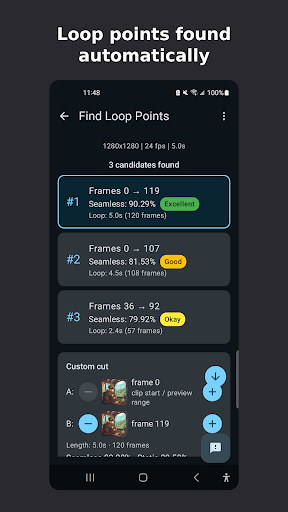
The app reads the clip, searches for promising endpoint pairs, and presents them as repeating previews.
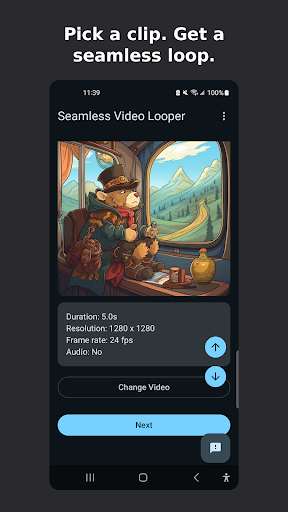
A selected video with duration, resolution, frame rate, and audio information.
Choose a clip. Review its basic media details before starting.
Three candidate loop points ready to preview, plus a custom cut option.
Compare candidates. Easy mode can prepare up to four loop candidates per clip; preview each one or define your own cut.
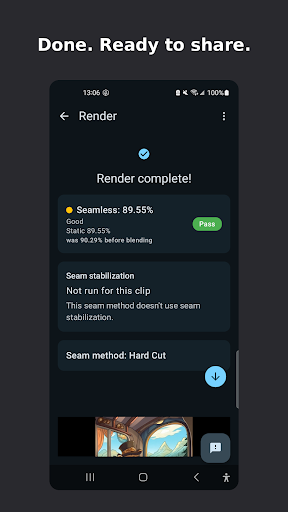
A completed loop with its quality summary and share action.
Watch the result. Inspect the finished loop, then save or share it.
Advanced mode

Shape the seam.

Choose how the transition is built, how camera drift is handled, and what happens to the audio.
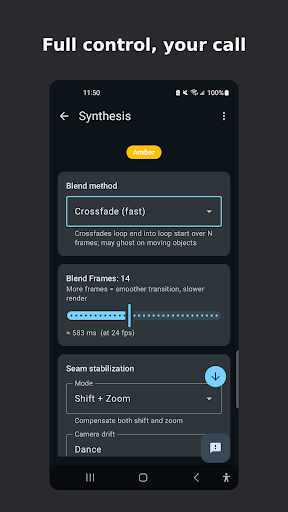
Advanced synthesis controls for blending and seam stabilization.
Blend and align. Adjust the blend window and shift or zoom compensation.
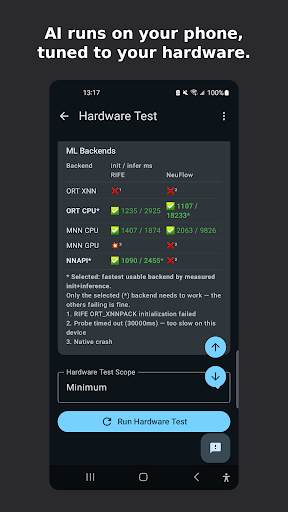
Hardware Test screen checking video-processing components on the phone.
Fit the phone. The app checks which advanced processing options are available.
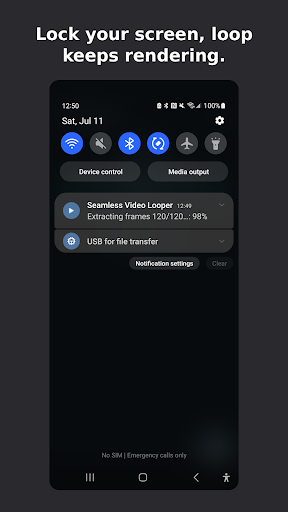
Android notification showing video rendering progress.
Keep moving. Rendering can continue with progress shown in a notification.
Footage guide

Start where motion can continue.

A good loop is already latent in the scene. The app helps you find and finish it.

GOOD START

Water, fire, clouds, foliage

Continuous organic motion gives the seam room to disappear.

TRY A FEW CUTS

Drift and slow zoom

Alignment can help when the camera moves gently through the shot.

MORE DIFFICULT

Crossings and occlusion

A person or object crossing the seam can double, bend, or reveal the transition.

A useful rhythm

Preview more than one answer.

A high score is a strong starting point, but the right loop depends on the scene. Watch the motion, listen to the sound, and choose the candidate that feels natural.

Try it on Google Play